A place for every watch in your life.
The ones you own. The ones you are considering. The details you want to remember. Keep them together in a free Watch Box, ready on the web and in the app.
Free account for saving. Browse the catalog without signing in.
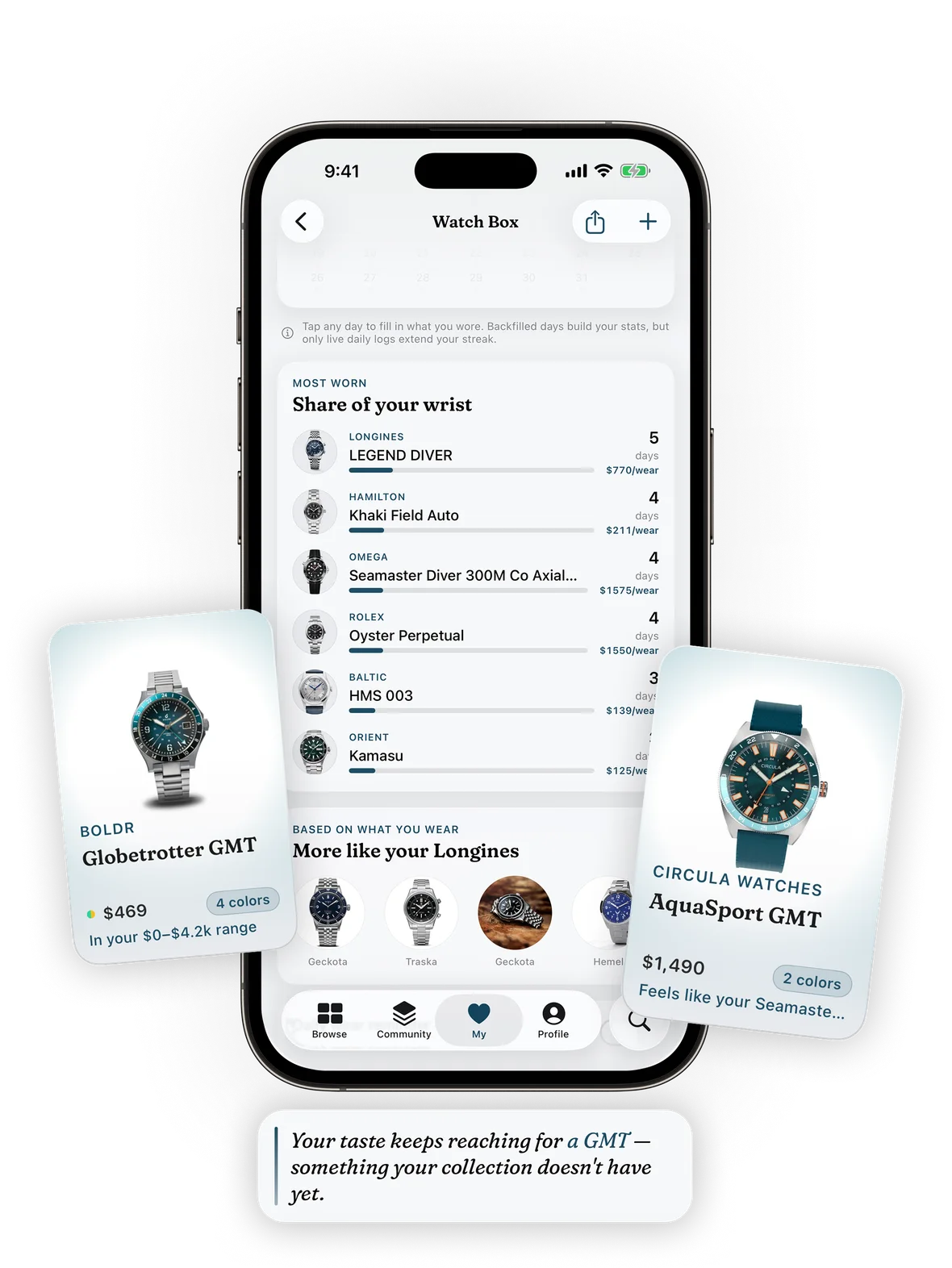
Build the box you actually own
Find your reference
Search the catalog and add a watch to your box. Check the size and color variant so the saved entry represents your watch. A missing watch can be added manually.
Keep the useful details
Add notes you want to remember, such as purchase details or your preferred strap. Group watches into collections and choose whether each collection is public or private.
Keep a separate wishlist
Save favorites while you explore. Compare candidates before making a decision, and keep possible purchases separate from the watches you already own.
Remember what gets wrist time.
The mobile app adds daily wear logging, a calendar and streaks. Use your history to reflect on the collection, whether you rotate every day or reach for the same favorite.
Explore the iPhone and Android app →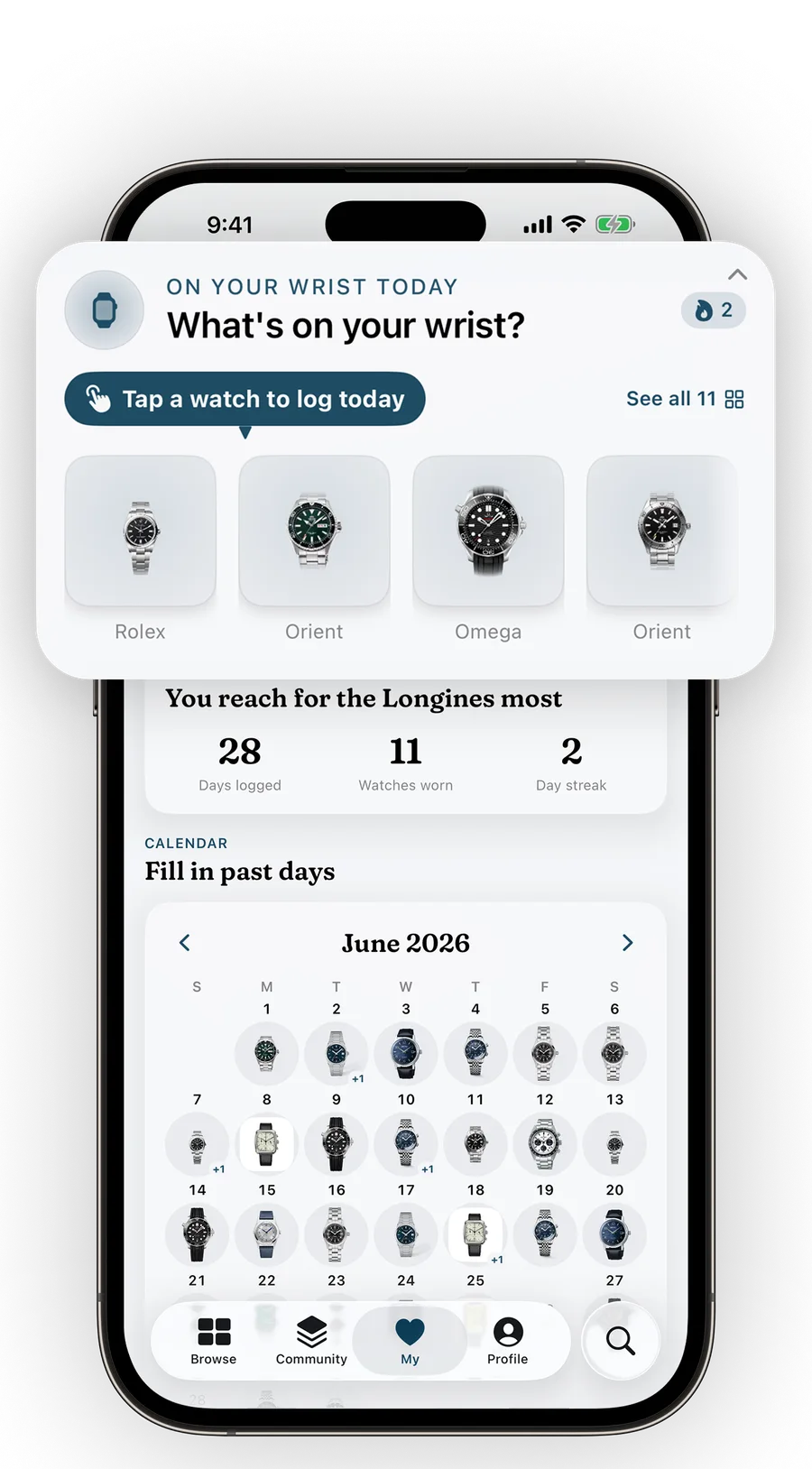
Spreadsheet or collection tracker?
A spreadsheet is useful when you want custom columns, formulas and your own file. Lug2Lug connects your collection to catalog entries and a shareable watch page. Choose the workflow you will use.
| Task | Spreadsheet | Lug2Lug |
|---|---|---|
| Adding watches | Enter your own references and details. | Search the catalog and attach the available specifications. |
| Personal details | Choose any columns, formulas and layout. | Keep per-watch notes beside the catalog entry. |
| Wear history | Design a log and update it yourself. | Use daily wear logging and the calendar in the mobile app. |
| Sharing | Share your file or a spreadsheet link. | Give a public collection its own page, or keep it private. |
| Import and export | Keep a file in your preferred format. | No automatic CSV import or export today. |
| Pricing information | Record your own dated prices and sources. | Check available catalog pricing; expanded market tools are paid. |
Before you start
Is the watch collection tracker free?
Yes. Saving watches, notes and collections is free, and the mobile app is free to download. Optional purchases include Market+ at $4.99 a month or $39.99 a year for live listings, longer price history and new-listing alerts, and a one-time $9.99 Strap Studio unlock for the full strap library.
What can I do on the web?
Manage your Watch Box, organize collections, keep per-watch notes, save favorites and share public collections. Use the mobile app for daily wear logging, streaks and the wear calendar.
Does it work on iPhone and Android?
Yes. Lug2Lug is available on the App Store and Google Play. Use the same account for your Watch Box and collections across the web and mobile apps.
Can I import a spreadsheet?
There is no automatic CSV import today. Search the catalog to add your watches, or add a missing watch manually. Keep your existing spreadsheet if you need custom formulas or a file you control.
Will everyone see my collection?
You choose whether a collection is public or private. Public collections have a shareable page; private collections are visible only to you. Review the visibility setting before sharing.
Start with the watch on your wrist.
Add one watch, keep a note and build from there.